Dynamic Views: Flipcard | Mosaic | Sidebar | Snapshot | Timeslide

Tuesday, January 29, 2013

Moodle Your the Best!

In this interesting infographic of the 20 Most Popular Learning Management Systems from LearnDash, Moodle heads the list with Edmodo a close second!

Way to go Moodle :)


Thursday, January 24, 2013

Digital Storytelling


Digital Storytelling
by
Renke Samusch, Dominik Baumecker and Moritz Zockler
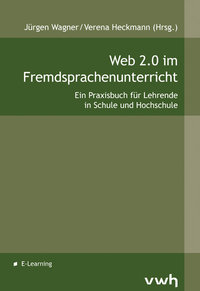
Web 2.0 im Fremdsprachenunterricht

Renke, Dominik and Moritz, who are all teacher trainees, have written a very interesting and detailed article which explores the use of comic and video creation software for teaching storytelling in a motivating and engaging way.

In the article, they mention, in particular, Bitstrips, xtranormal, pixton and strip generator but they also provide a link to Alan Levines wiki resource, acknolowdging that many more comic and video creation tools exis.

Renke, Dominik and Moritz believe that students become more engaged in writing process when they realise that they can use these tools to bring their own stories alive by adding a visual element through pictures and video. Being able to use the tools provides a great way of encouraging student creativity. The choice of images/characters and how they are put together is limited only by the student's imagination.

Also, the student's final production can then form the basis of a verbal presentation to the rest of the class, which helps in practicing and developing spoken language skills. Obvioulsy this can also lead to great opportunities for team work where groups of students are tasked with producing their story and presentation.

As a bonus, Renke, Dominik and Moritz point out that organisational skills and multimedia skills are also learnt during the process, even though they are not the main focus of the task.

Renke, Dominik and Moritz feel that younger students may need more support in using such tools and that, in such cases, it "is crucial" that their teachers are competent in using the tools before introducing the exercise. This is often not the case for older students where they are very quick to pick up new programs and may even teach their teachers a thing or two!

As well as students creating work, teachers can also prepare stories in advance thus controlling "the quality of the language" to be used. This can be good for practicing reading skills while still allowing students to add their own creativity to the final visualization. However, Renke, Dominik and Moritz warn that the topic should be chosen carefully so that it will inspire students to produce their comic/video.

Teacher prepared comics/videos could also be used as the initial prompt for creative writing, maybe based around the current vocabulary that is being studied. The students use this work as the basis for their story and presentation. Renke, Dominik and Moritz believe this is a great way for promoting story telling and can be used with all age groups. Through these tasks, students are introduced to the idea of building plots and using dialogue appropriately. Encouraging students to role play their final presentations is another way of engaging and motivating the students in the writing process.

Renke, Dominik and Moritz also provide great examples of where these tools can be used for more than just storyteling such as for learning:
  • grammar
  • vocabulary
  • cultural studies
  • history etc
Having explored the many differnent ways in which these tools can be used, Renke, Dominik and Moritz conclude by pointing out the main considerations to be taken into account when deciding to use them:
  • time constraints - for learning and using the tools
  • overusing the tools - trying to use all the features
  • overexposure to the tools - reducing student motivation
I like thte way Renke, Dominik and Moritz have concentrated, throughout their article, on the pedagogical aspects of using such tools rather than simply exploring the tools themselves! A comprehensive and inspiring read with lots of practical examples to try out and experiment with.


You can buy a copy of the book online directly from the publisher (Verlag Werner Hülsbusch)
or
if you have any queries email Verlag Werner Hülsbusch at vertrieb@vwh-verlag.de
*****************************
The release of 'Web 2.0 im Fremdsprachenunterricht' is accompanied by a series of free webinars where the authors will present and discuss their articles.

Information about these online meetings, which will be held in the presenter's mother tongue, can be found at Fremdsprachenunterricht 2.0

You can register for any of the webinars at Fortbildung Online. Recordings of the webinars will also be published on the LPM's website.
*****************************


Tuesday, January 22, 2013

21st Century Image Library


Humanline is a 21-st century image library, which licenses high-quality images of civilization’s art, science and history for both academic (free use) and professional use.

The aim of Humanline is to provide users with:
No negotiations. Just name your use and download.
No price inquiries. All price info can be seen online.
No third party clearance. If its available online, rights have already been cleared.
The collections already provided include:
  • The Neuwerk-Archiv - a German private collection that specializes in scientific illustrations 
  • The Pictus Orbis -  XVII to XIX century wood- and steel engravings, illustrated books, early magazines 
  • Mapmuseum -   early maps, townplans and cityviews from XVI to early XX century
  • Ukiyo Gallery - Japanese ukiyo-e prints


Saturday, January 19, 2013

Intro Guide for MIT App Inventor

MakeUseOf have provided a 21 page pdf guide for making your own Android App using MIT App Inventor, by author James Sherar.


MIT App Inventor is a highly visual mobile app development platform, which can be used by programmers and non-programmers alike. It is a great teaching aid for introducing computer programming.

The MakeUseOf Guide provides all the information that you need to get started and makes an excellent readymade student handbook. The aim behind the guide being "to show anyone the basics of using App Inventor in the hopes that more people will create instead of just consuming".

You can also download many more useful MakeUseOf pdf guides.


Monday, December 10, 2012

Using Web 2.0 as a Source for Material


Using Web 2.0 as a Source for Material
by Andrew Pickles
Web 2.0 im Fremdsprachenunterricht

In his article, Andrew concentrates on three useful resource sites - Googlefight, Pinterest and Quora which he believes allow for "greater student self-direction" in completing tasks.

Googlefight, which is a new one to me, allows you to compare two words or phrases and find the one with the hightest number of results from a google search.

As the search was being carried out a little animation of two boxers fighting each other was played and while Andrew doesn't specifically mention its effect, I found watching it surprisingly amusing and rather addictive!! I wanted to do more and more searches........

On first appearances Googlefight seems to have limited use but as Andrew explains it can be useful for:
  • introducing a new theme or subject
  • finding out which phrases are more commonly used
  • expanding vocabulary
Indeed, as Andrew concludes, the main benefit can be found through building new language around real and interesting discussions of the results obtained - arguments as to why one result is higher or if the result matched initial predictions. In my test search "dublin usa" narrowly beat "dublin ireland" which, to me anyway, was very surprising and would be worthy of further discussion!!!

The second site, Pinterest works essentially as an online pinboard allowing you to keep interesting webpages around a topic in one accessible location. Being a Web 2.0 social networking site it also allows you to share your pinboard as well as view other pinboards and add comments. You can also follow and be followed by other users. Sign up is straighforward and no longer limited to the invitation only mode that Andrew mentions.

Andrew provides interesting ideas for using Pinterest with students including encouraging them to:
  • follow others who are interested in the same areas and then discuss what they have read in class
  • add comments to the pinboard articles that they read
  • create their own pinboards and let other classmates add pins to their boards - very useful for groupwork
  • upload work from their own computers. Although restricted to image format only, screenshots of written/text work can be used
All public shared pinboards can be accessed by anyone and Andrew's concern about this is valid, although as far as I am concerned anything you put up on the Internet, particulary on social networking sites, is potentially viewable by anyone and should be treated as such regardless of privacy options offered. That said, Pinterest does allow users to have 3 'secret' pinboards.

Quora is a place where you can ask and answer questions. Andrew gives a very good detailed account of how you sign up and get started. As with other social networking sites you can follow other usres or individual topics. Adding your own questions or answers to existing questions is straight forward. Also, the more followers you have or the more interesting the question the more likely you are to receive answers.

Andrew sees values in encouraging his students to "discuss and decide on which people and topics they wish to follow" and then reveiwing their choices at a later date - both of which provide a "wealth of useful language" for the teacher to use.

Andrew has also promoted discussion among his students around the results of prepared questions/topics and by getting students to evaluate the accuracy of answers given. Encouraging students to ask and answer questions among themselves provides practice for using and re-using the language and vocabulary they are learning.  Indeed, Andrew also feels that teachers would find Quora useful for gathering opinions from others or finding an answers to questions that they did not know.

Examing the structue of the questions (ie grammar) is also very useful, although it is not clear as to what way students evaluate the source of the question - for example was a question in english written by an english speaker or someone using it as a second language . For me, students picking up bad grammar or struggling with the complexity of the language used in questions could be an obstacle to using the site. Also, Andrew does not mention if he ever came accross inappropriate questions and/or answers and how these are dealt with.


In a way Quora acts like a textbook except that:
  • students are not restricted to the topics presented in th textbook but are free to include their own interests, which proves highly motivational - a sort of 'living textbook'
  • there seems to be very little check on validity of answers. However, in using Quora, Andrew is not so worried about the 'correctness' of answers given but is more interested in the way that it encourages the use of language.
Andrew will be conducitng a webinar on his topic on 14th January 2013.


You can buy a copy of the book online directly from the publisher (Verlag Werner Hülsbusch)
or
if you have any queries email Verlag Werner Hülsbusch at vertrieb@vwh-verlag.de
*****************************
The release of 'Web 2.0 im Fremdsprachenunterricht' is accompanied by a series of free webinars where the authors will present and discuss their articles.

Information about these online meetings, which will be held in the presenter's mother tongue, can be found at Fremdsprachenunterricht 2.0

You can register for any of the webinars at Fortbildung Online. Recordings of the webinars will also be published on the LPM's website.
*****************************


Wednesday, November 28, 2012

Creating eBooks from Wikipedia Articles


Amit Labnol has written a great post explaining how to create eBooks from Wikipedia pages.

The PDF format has been around for awhile but the new addition of the EPUB format is great news for mobile device users.

You can download your eBook in several formats including:
  • PDF
  • OpenDocument
  • OpenZim
  • EPUB
A very handy way to collect relevent articles in one location and access them offline!


Sunday, November 25, 2012

Podcasting on the go


Podcasting on the go
by Simon Ensor
Web 2.0 im Fremdsprachenunterricht

I like the way Simon describes the smartphone, in his introduction, as a 'digital swiss-arny knife' that can be used for creative learning. Somehow that seems quite appropriate.

In the article, Simon focuses on Audioboo and Ipadio, two free applications, which can be used for developing 21st century skills such as content creation and collaboration. Easy tools to use for unplanned, impromptu recordings.

Audioboo
pros: adding geo-location or photo, create RSS feed, publish directly to social networks, embed in websites, record via phone and website
cons: all 'audioboos' are public, no private channels, can only be used on some phones, limit of 5min recording

Ipadio
pros: works on any phone, 60minute recordings, adding geo-location or photo, create RSS feed, publish directly to social networks, listen to 'plogs' live, option of moderated channels allowing an element of privacy, automatically generates transcripts, which can be edited
cons: record via phone only not website

Simon explaines that he used these tools for:
  • recording 'model' answers for students and sharing this teacher RSS feed with students via google reader so they could download the content to their own phones. 
  • creating audio guides of locations or organisations
  • getting students to record interviews and stories in class which were then shared through the student RSS feed
  • creating a class audioblog where different students submit recordings each week
  • recording interviews etc when on outings and trips abroad
  • using a class ipadio account for students to post audio messages and 'correct' transcripts
  • students to create and broadcast to their own radio channel or listen in to others.
  • create learning diaries for eportfolios

In my own system, our students are allowed and invited to produce evidence of learning in different ways, in theory. However, in practice, it remains very much a case of written work only. For example in their work experience module the students have to produce a daily diary. This could just as easily be produced as a series of recordings as a written report. Invariably, the written report is provided! It seems that neither the students nor the educators are really looking to change the status quo.

But, as Simon demonstrates in his article, these tools clearly open up the possibility for students to easily record all sorts of learning material. Perhaps it is time to lessen our dependance on written work only!! It is now time for educators and students to be more willing to embrace the new possibilities.

For Simon, the benefits that accrued from using these tools included increased motivaton (as students were producing for a real audience), increased engagement through posting of comments, the ability to share students work and progress with parents, provision of permanent recordings for students that had missed class.

Although Simon doesn't mention any in the article, I would be interested in knowing about any drawbacks or teathing problems that he had in using the phones and Web2.0 tools with his students. Such things as
negative comments being posted, students not able or willing to make recordings, students posting inappropriate material or recording others without permission, parental permission not given, students not having an appropriate phone.

I believe using smartphones is certainly the way to go but what of now? The digital divide, even in this area, is alive and well. Simon indicates that only 30% of his students have smartphones, still a relatively small percentage of the class. By the time the other 70% catch up no doubt the 'early' adoptors will have moved on to newer and even more capable devices!

Simon's Webinar will take place on 6th December 2012. You can sign up now!!

You can now listen to the recorded webinar.


You can buy a copy of the book online directly from the publisher (Verlag Werner Hülsbusch)
or
if you have any queries email Verlag Werner Hülsbusch at vertrieb@vwh-verlag.de
*****************************
The release of 'Web 2.0 im Fremdsprachenunterricht' is accompanied by a series of free webinars where the authors will present and discuss their articles.

Information about these online meetings, which will be held in the presenter's mother tongue, can be found at Fremdsprachenunterricht 2.0

You can register for any of the webinars at Fortbildung Online. Recordings of the webinars will also be published on the LPM's website.
*****************************