Dynamic Views: Flipcard | Mosaic | Sidebar | Snapshot | Timeslide

Saturday, December 14, 2013

Technology Enhanced Vocabulary Learning

leVocab from leVocab on Vimeo.


leVocab is a new web and mobile-web based application for helping French, German and Spanish language students widen their vocabulary, learn noun genders and practice pronunciation.

A colour and sound system has been developed by leVocab to help learners to remember noun genders. Blue for masculine and pink for feminine. Also, both a masculine voice and a feminine voice are used to improve association.

leVocab is free for teachers and tutors who can use it in the classroom to practise with students. Full access for students/parents is very reasonably priced at €4.99 for a one year subscription - this gives access to over 1,500 nouns in each of three languages - French, German & Spanish.

According to Páraic Slattery, leVocab's co-founder,
“Learning genders has been a perennial problem for language students and leVocab goes a long way towards addressing this. Using leVocab, students can now widen their vocabulary and learn the genders at the same time.”

Launched in November of this year, leVocab is well worth a try!!!


Saturday, December 7, 2013

MOOCs here to stay


Interesting update from Open Eduction Europa on European MOOCs provided by European institutions. Spain leading the way.....

The world of MOOCs is dynamic and growing


Tuesday, September 10, 2013

Online Timer with Google Search


Google search provides a useful online 'exam/test' timer. Use 'ctrl/+' to magnify the webpage and project it up on the whiteboard for all to see!! Obviously Internet connection required.

No arguments about how much time is left or when time is up :)

Simply type the following into the google search bar

timer for


Saturday, September 7, 2013

Forthcoming Moodle Webinars

LPM Saarbrücken have scheduled an interesting series of free webinars, all relating to moodle, to be held during September and October. The webinars will be presented in English, French and German. See the schedule given below.

First up is Mary Cooch (@moodlefairy) who is also currently co-running the first official moodle MOOC for beginners, which is just coming to the end of week 1. The course runs for four weeks so it is not too late to join in now!

Mary's webinar, this Thursday, will be covering "What's new in Moodle 2.5"


Tuesday, April 16, 2013

ICT in the Foreign Language Classsroom


Fortbildung Online are currently offering a series of free webinars about ICT in the foreign language classsroom.

The one hour webinars are conducted mainly through German, although there are also some French and English sessions scheduled. The series will runs through April, May and June.

Coming up this Thursday (18/2013 - 19:00h - 20:30h CET), Shona Whyte (Université de Nice) will be speaking on "Interactive technologies for classroom language teaching: iTILT and the IWB". Shona will be covering:
  • the lack of training & materials to use Interactive whiteboards (IWBs) effectively for language teaching
  • presentation of resources from a recent European project on IWBs in language teaching [http://itilt.eu]
  • discussion of materials, activities, and examples of language teaching with the IWB
  • discussion of alternative technological solutions for those without access to an IWB
To register simply send an email to JWagner@lpm.uni-sb.de
To participate: Click on the access link: https://webconf.vc.dfn.de/shona/


The rest of the schedule is as follows:

22. 04. 2013 - 19:00h - 20:30h
Elke Lackner
Durch die Cloud zum kreativen Endprodukt
Zugangslink: https://webconf.vc.dfn.de/wordclouds/

29. 04. 2013 - 19:00h - 20:00h
Pilar Munuera
Les Perles du TICE - remue-méninges sur le FLE [Scoop.it]
Zugangslink: https://webconf.vc.dfn.de/pilar/

06. 05. 2013 - 19:00h - 20:30h
Marie-Hélène Fasquel
Projet e-Twinning et création de livres électroniques
Zugangslink: https://webconf.vc.dfn.de/fasquel/

10. 06. 2013: 19:00h - 20:30h
Jean-Michel Ducrot
"Insuf-FLE" - Le blog phare du FLE
Zugangslink: https://webconf.vc.dfn.de/insuffle/

06. 06. 2013 - 19:00h - 20:30h
Uwe Klemm
Einsatzmöglichkeiten von Moodle im Fremdsprachenunterricht
Zugangslink: https://webconf.vc.dfn.de/moodleimfsu/

17. 06. 2013 - 19:00h - 20:30h
Stephan Rinke
Online Textarbeit mit dem Etherpad/Edupad
Zugangslink: https://webconf.vc.dfn.de/etherpad/

10. 10. 2013 - 19:00h - 20:30h
Stephan Rinke
Moodle muß Spaß machen
Zugangslink: https://webconf.vc.dfn.de/moodlespass/

14. 11. 2013 - 19:00h - 20:30h
Andrew Pickles
Task-based learning
Zugangslink: https://webconf.vc.dfn.de/taskbased/

21. 11. 2013 - 19:00h - 20:30h
Manfred Overmann
Le site portail du professeur de FLE
Zugangslink: https://webconf.vc.dfn.de/overmann/

02. 10. 2013 - 19:00h - 20:30h
Mélanie Auriel
Des applis iPad pour une pédagogie "classe inversée"
Zugangslink: https://webconf.vc.dfn.de/applis/

16. 01. 2014 - 19:00h - 20:30h
Heike Kolacki
"Kooperative Lernformen" im Französischunterricht
Zusammenarbeit mit Cornelsen
Zugangslink: https://webconf.vc.dfn.de/kolacki/


Tuesday, March 12, 2013

School of Open

School of Open launching this week!!


Courses that will launch March 12, 2013


Saturday, March 9, 2013

Mind the App!


Mind the App!
by Thomas Strasser
Mind the App!

Thomas Strasser is a New Learning Technologies researcher, teacher trainer and EFL teacher at University College of Teacher Education, Vienna - website: Learning Reloaded

Mind the App! is a comprehensive and well researched teacher resource book covering a collection of very useful web2.0 apps that may be used for teaching and learning both inside and outside of the classroom. Thomas concentrates on Web 2.0 apps that enable users to "become an important part of an interactive World Wide Web without having any IT-related knowledge other than a few basic skills!" Music to the ears of non-ICT teachers and those that may still feel threatened by the web2.0 revolution!!

The aim of the book "is to provide interactive, meaningful and highly motivational EFL activities" and, accordingly, there is a strong emphasis on the methodology of using the apps in the classroom, rather than just examining what the apps do. There is no doubt that Thomas succeeds in his aim and his emphasis on the practical tried and tested exercises will be of particular interest for teachers with limited ICT skills.

In the introduction, Thomas cites many positive reasons for using web 2.0 tools explaining that they are, in the main, motivational, interactive, creative, collaborative, fast, authentic, environmental friendly, support digital literacy and free to use!! All good reasons to further investigate their potential. Unfortunately, the possible pitfalls in using web2.0 apps should not be ignored, where misuse of such tools can lead to cyber bullying and Thomas does highlight various concerns including potential problems with piracy, spam, plagiarism, copyright and poor quality content on websites.

There is a wealth of information included in this book and apart from the detailed treatment of the individual apps, Thomas provides many links to other useful EFL websites as well as a very useful quick reference guide. This guide details the appropriate language level, focus of the app, suggested lesson time and any minimum age restrictions required for use. In addition, Thomas also provides video tutorials, which can be found on the website dedicated to the book

I love the layout of the book, where each web app is given it's own couple of pages and there is a wide left margin that allows for the teacher to add their own notes and ideas.


As shown above, each app is covered in three sections. The first deals with practicalities such as the language level required by the students, the most suitable age grouping, class time required, ict skills required and equipment requirements. In this section, Thomas also includes links to other similar applications, allowing for further exploration.

The second section explains, with clear accompanying screenshots, how the tool is actually used, while the final section provides examples of using the app in the classroom and for follow up activities including homework. Undoubtedly, this section is of great value to both ICT experts and those that are only starting to dabble in Web2.0 applications.

Thomas groups the 39 apps examined into five general areas (teacher tools, visualisation, collaboration, audio, writing) but is it worth noting that use of any tool is not restricted to only one area and there are many cross over points.

Chapter 1 - teacher tools (6 tools)
Apps dealing with creating and using online content, quizzes and games. Example: LearningApps

Chapter 2 - visualisation (13 tools)
Apps that help you create visual content including word clouds, timelines, presentations, posters, photo stories, QR codes and screen capture/recording. Example WordSift

Chapter 3 - collaboration (9 tools)
Apps that enable document/presentation sharing, webpage markups, backchannelling, surveys and polls, mindmaps brainstorming and online notice boards. Example: Markup

Chapter 4 - audio (4 tools)
Apps for audio including talking avatars, converting text to speech, voice recording and creating radio stations. Example: Spreaker

Chapter 5 - writing (7 tools)
Apps for social bookmarking, creating online stories/books, flipbooks, 3D flipbooks, diaries and cartoons. Example: ZooBurst

The following examples will give you a flavour of just some of the practical exercises suggested in the book:
  • Sharing powerpoint presentations with Authorstream
  • Removing "all the lists, ads, and other distracting features of YouTube" with Quiettube
  • Using MailVU to create short oral quizzes for the students to watch and answer questions or record a given text with deliberate errors (pronouncation, content and grammar) and get the students to identify the mistakes. Ask students to record themselves and listen to the recording for "instant feedback"
  • Encourage students to use Wordle (word cloud) to check for repitition in their essays or assignments. Some of the repeated words can then be replaced by synonyms - a nice visual way to encourage students to expand their vocabulary!
  • Let students use Glogster to create online multimedia rich posters about themselves or celebrities, interesting topics or book reviews.
  • Get students working in groups to create grammar Prezi presentions, which include grammar notes and examples of use - both in written and video format.

Although this book is primarily aimed at language teachers it is equally useful for any subject teacher and many of the exercises provided can be easily adapted to enhance learning in other subject areas. I highly recommend Mind the App! as an excellent resource for the modern 21st century teacher!!!


You can buy a copy of Mind the App! online
from Helbing Languages


Tuesday, January 29, 2013

Moodle Your the Best!

In this interesting infographic of the 20 Most Popular Learning Management Systems from LearnDash, Moodle heads the list with Edmodo a close second!

Way to go Moodle :)


Thursday, January 24, 2013

Digital Storytelling


Digital Storytelling
by
Renke Samusch, Dominik Baumecker and Moritz Zockler
Web 2.0 im Fremdsprachenunterricht

Renke, Dominik and Moritz, who are all teacher trainees, have written a very interesting and detailed article which explores the use of comic and video creation software for teaching storytelling in a motivating and engaging way.

In the article, they mention, in particular, Bitstrips, xtranormal, pixton and strip generator but they also provide a link to Alan Levines wiki resource, acknolowdging that many more comic and video creation tools exis.

Renke, Dominik and Moritz believe that students become more engaged in writing process when they realise that they can use these tools to bring their own stories alive by adding a visual element through pictures and video. Being able to use the tools provides a great way of encouraging student creativity. The choice of images/characters and how they are put together is limited only by the student's imagination.

Also, the student's final production can then form the basis of a verbal presentation to the rest of the class, which helps in practicing and developing spoken language skills. Obvioulsy this can also lead to great opportunities for team work where groups of students are tasked with producing their story and presentation.

As a bonus, Renke, Dominik and Moritz point out that organisational skills and multimedia skills are also learnt during the process, even though they are not the main focus of the task.

Renke, Dominik and Moritz feel that younger students may need more support in using such tools and that, in such cases, it "is crucial" that their teachers are competent in using the tools before introducing the exercise. This is often not the case for older students where they are very quick to pick up new programs and may even teach their teachers a thing or two!

As well as students creating work, teachers can also prepare stories in advance thus controlling "the quality of the language" to be used. This can be good for practicing reading skills while still allowing students to add their own creativity to the final visualization. However, Renke, Dominik and Moritz warn that the topic should be chosen carefully so that it will inspire students to produce their comic/video.

Teacher prepared comics/videos could also be used as the initial prompt for creative writing, maybe based around the current vocabulary that is being studied. The students use this work as the basis for their story and presentation. Renke, Dominik and Moritz believe this is a great way for promoting story telling and can be used with all age groups. Through these tasks, students are introduced to the idea of building plots and using dialogue appropriately. Encouraging students to role play their final presentations is another way of engaging and motivating the students in the writing process.

Renke, Dominik and Moritz also provide great examples of where these tools can be used for more than just storyteling such as for learning:
  • grammar
  • vocabulary
  • cultural studies
  • history etc
Having explored the many differnent ways in which these tools can be used, Renke, Dominik and Moritz conclude by pointing out the main considerations to be taken into account when deciding to use them:
  • time constraints - for learning and using the tools
  • overusing the tools - trying to use all the features
  • overexposure to the tools - reducing student motivation
I like thte way Renke, Dominik and Moritz have concentrated, throughout their article, on the pedagogical aspects of using such tools rather than simply exploring the tools themselves! A comprehensive and inspiring read with lots of practical examples to try out and experiment with.


You can buy a copy of the book online directly from the publisher (Verlag Werner Hülsbusch)
or
if you have any queries email Verlag Werner Hülsbusch at vertrieb@vwh-verlag.de
*****************************
The release of 'Web 2.0 im Fremdsprachenunterricht' is accompanied by a series of free webinars where the authors will present and discuss their articles.

Information about these online meetings, which will be held in the presenter's mother tongue, can be found at Fremdsprachenunterricht 2.0

You can register for any of the webinars at Fortbildung Online. Recordings of the webinars will also be published on the LPM's website.
*****************************


Tuesday, January 22, 2013

21st Century Image Library


Humanline is a 21-st century image library, which licenses high-quality images of civilization’s art, science and history for both academic (free use) and professional use.

The aim of Humanline is to provide users with:
No negotiations. Just name your use and download.
No price inquiries. All price info can be seen online.
No third party clearance. If its available online, rights have already been cleared.
The collections already provided include:
  • The Neuwerk-Archiv - a German private collection that specializes in scientific illustrations 
  • The Pictus Orbis -  XVII to XIX century wood- and steel engravings, illustrated books, early magazines 
  • Mapmuseum -   early maps, townplans and cityviews from XVI to early XX century
  • Ukiyo Gallery - Japanese ukiyo-e prints


Saturday, January 19, 2013

Intro Guide for MIT App Inventor

MakeUseOf have provided a 21 page pdf guide for making your own Android App using MIT App Inventor, by author James Sherar.


MIT App Inventor is a highly visual mobile app development platform, which can be used by programmers and non-programmers alike. It is a great teaching aid for introducing computer programming.

The MakeUseOf Guide provides all the information that you need to get started and makes an excellent readymade student handbook. The aim behind the guide being "to show anyone the basics of using App Inventor in the hopes that more people will create instead of just consuming".

You can also download many more useful MakeUseOf pdf guides.


Monday, December 10, 2012

Using Web 2.0 as a Source for Material


Using Web 2.0 as a Source for Material
by Andrew Pickles
Web 2.0 im Fremdsprachenunterricht

In his article, Andrew concentrates on three useful resource sites - Googlefight, Pinterest and Quora which he believes allow for "greater student self-direction" in completing tasks.

Googlefight, which is a new one to me, allows you to compare two words or phrases and find the one with the hightest number of results from a google search.

As the search was being carried out a little animation of two boxers fighting each other was played and while Andrew doesn't specifically mention its effect, I found watching it surprisingly amusing and rather addictive!! I wanted to do more and more searches........

On first appearances Googlefight seems to have limited use but as Andrew explains it can be useful for:
  • introducing a new theme or subject
  • finding out which phrases are more commonly used
  • expanding vocabulary
Indeed, as Andrew concludes, the main benefit can be found through building new language around real and interesting discussions of the results obtained - arguments as to why one result is higher or if the result matched initial predictions. In my test search "dublin usa" narrowly beat "dublin ireland" which, to me anyway, was very surprising and would be worthy of further discussion!!!

The second site, Pinterest works essentially as an online pinboard allowing you to keep interesting webpages around a topic in one accessible location. Being a Web 2.0 social networking site it also allows you to share your pinboard as well as view other pinboards and add comments. You can also follow and be followed by other users. Sign up is straighforward and no longer limited to the invitation only mode that Andrew mentions.

Andrew provides interesting ideas for using Pinterest with students including encouraging them to:
  • follow others who are interested in the same areas and then discuss what they have read in class
  • add comments to the pinboard articles that they read
  • create their own pinboards and let other classmates add pins to their boards - very useful for groupwork
  • upload work from their own computers. Although restricted to image format only, screenshots of written/text work can be used
All public shared pinboards can be accessed by anyone and Andrew's concern about this is valid, although as far as I am concerned anything you put up on the Internet, particulary on social networking sites, is potentially viewable by anyone and should be treated as such regardless of privacy options offered. That said, Pinterest does allow users to have 3 'secret' pinboards.

Quora is a place where you can ask and answer questions. Andrew gives a very good detailed account of how you sign up and get started. As with other social networking sites you can follow other usres or individual topics. Adding your own questions or answers to existing questions is straight forward. Also, the more followers you have or the more interesting the question the more likely you are to receive answers.

Andrew sees values in encouraging his students to "discuss and decide on which people and topics they wish to follow" and then reveiwing their choices at a later date - both of which provide a "wealth of useful language" for the teacher to use.

Andrew has also promoted discussion among his students around the results of prepared questions/topics and by getting students to evaluate the accuracy of answers given. Encouraging students to ask and answer questions among themselves provides practice for using and re-using the language and vocabulary they are learning.  Indeed, Andrew also feels that teachers would find Quora useful for gathering opinions from others or finding an answers to questions that they did not know.

Examing the structue of the questions (ie grammar) is also very useful, although it is not clear as to what way students evaluate the source of the question - for example was a question in english written by an english speaker or someone using it as a second language . For me, students picking up bad grammar or struggling with the complexity of the language used in questions could be an obstacle to using the site. Also, Andrew does not mention if he ever came accross inappropriate questions and/or answers and how these are dealt with.


In a way Quora acts like a textbook except that:
  • students are not restricted to the topics presented in th textbook but are free to include their own interests, which proves highly motivational - a sort of 'living textbook'
  • there seems to be very little check on validity of answers. However, in using Quora, Andrew is not so worried about the 'correctness' of answers given but is more interested in the way that it encourages the use of language.
Andrew will be conducitng a webinar on his topic on 14th January 2013.


You can buy a copy of the book online directly from the publisher (Verlag Werner Hülsbusch)
or
if you have any queries email Verlag Werner Hülsbusch at vertrieb@vwh-verlag.de
*****************************
The release of 'Web 2.0 im Fremdsprachenunterricht' is accompanied by a series of free webinars where the authors will present and discuss their articles.

Information about these online meetings, which will be held in the presenter's mother tongue, can be found at Fremdsprachenunterricht 2.0

You can register for any of the webinars at Fortbildung Online. Recordings of the webinars will also be published on the LPM's website.
*****************************


Wednesday, November 28, 2012

Creating eBooks from Wikipedia Articles


Amit Labnol has written a great post explaining how to create eBooks from Wikipedia pages.

The PDF format has been around for awhile but the new addition of the EPUB format is great news for mobile device users.

You can download your eBook in several formats including:
  • PDF
  • OpenDocument
  • OpenZim
  • EPUB
A very handy way to collect relevent articles in one location and access them offline!


Sunday, November 25, 2012

Podcasting on the go


Podcasting on the go
by Simon Ensor
Web 2.0 im Fremdsprachenunterricht

I like the way Simon describes the smartphone, in his introduction, as a 'digital swiss-arny knife' that can be used for creative learning. Somehow that seems quite appropriate.

In the article, Simon focuses on Audioboo and Ipadio, two free applications, which can be used for developing 21st century skills such as content creation and collaboration. Easy tools to use for unplanned, impromptu recordings.

Audioboo
pros: adding geo-location or photo, create RSS feed, publish directly to social networks, embed in websites, record via phone and website
cons: all 'audioboos' are public, no private channels, can only be used on some phones, limit of 5min recording

Ipadio
pros: works on any phone, 60minute recordings, adding geo-location or photo, create RSS feed, publish directly to social networks, listen to 'plogs' live, option of moderated channels allowing an element of privacy, automatically generates transcripts, which can be edited
cons: record via phone only not website

Simon explaines that he used these tools for:
  • recording 'model' answers for students and sharing this teacher RSS feed with students via google reader so they could download the content to their own phones. 
  • creating audio guides of locations or organisations
  • getting students to record interviews and stories in class which were then shared through the student RSS feed
  • creating a class audioblog where different students submit recordings each week
  • recording interviews etc when on outings and trips abroad
  • using a class ipadio account for students to post audio messages and 'correct' transcripts
  • students to create and broadcast to their own radio channel or listen in to others.
  • create learning diaries for eportfolios

In my own system, our students are allowed and invited to produce evidence of learning in different ways, in theory. However, in practice, it remains very much a case of written work only. For example in their work experience module the students have to produce a daily diary. This could just as easily be produced as a series of recordings as a written report. Invariably, the written report is provided! It seems that neither the students nor the educators are really looking to change the status quo.

But, as Simon demonstrates in his article, these tools clearly open up the possibility for students to easily record all sorts of learning material. Perhaps it is time to lessen our dependance on written work only!! It is now time for educators and students to be more willing to embrace the new possibilities.

For Simon, the benefits that accrued from using these tools included increased motivaton (as students were producing for a real audience), increased engagement through posting of comments, the ability to share students work and progress with parents, provision of permanent recordings for students that had missed class.

Although Simon doesn't mention any in the article, I would be interested in knowing about any drawbacks or teathing problems that he had in using the phones and Web2.0 tools with his students. Such things as
negative comments being posted, students not able or willing to make recordings, students posting inappropriate material or recording others without permission, parental permission not given, students not having an appropriate phone.

I believe using smartphones is certainly the way to go but what of now? The digital divide, even in this area, is alive and well. Simon indicates that only 30% of his students have smartphones, still a relatively small percentage of the class. By the time the other 70% catch up no doubt the 'early' adoptors will have moved on to newer and even more capable devices!

Simon's Webinar will take place on 6th December 2012. You can sign up now!!

You can now listen to the recorded webinar.


You can buy a copy of the book online directly from the publisher (Verlag Werner Hülsbusch)
or
if you have any queries email Verlag Werner Hülsbusch at vertrieb@vwh-verlag.de
*****************************
The release of 'Web 2.0 im Fremdsprachenunterricht' is accompanied by a series of free webinars where the authors will present and discuss their articles.

Information about these online meetings, which will be held in the presenter's mother tongue, can be found at Fremdsprachenunterricht 2.0

You can register for any of the webinars at Fortbildung Online. Recordings of the webinars will also be published on the LPM's website.
*****************************


Monday, November 19, 2012

Web 2.0 Good Practice Guide


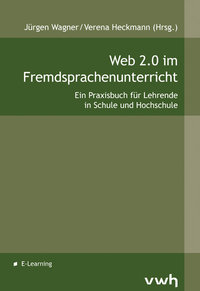
The Web 2.0 Good Practice Guide for the Foreign Language Classroom (Web 2.0 im Fremdsprachenunterricht) comes to you thanks to the inspirational efforts of Jürgen Wagner and Verena Heckmann.

Jürgen is the secretary for e-learning and media education at the State Department of Education and the Media (LPM) in Saarbrücken. He is also a French and English language teacher, author and organizer of online lectures. Verena, is a teacher of Spanish and French at high school and a consultant for IT in education at the Ministry of Education and Culture in the Saarland. She is also an author and edublogger.

Jürgen's rationalle for the guide still rings true for many educators:
From our teacher training sessions we have noticed, again and again, that a large number of the teaching community are not yet familiar with the web 2.0 concept.

This guide, containing 35 articles, is the culmination of a great collaborative venture involving elearning specialists from around Europe. The content is mainly in German but the guide also contains articles written in French, English and Spanish.

Web 2.0 im Fremdsprachenunterricht provides a wealth of ideas and practical suggestions on how to use Web 2.0 tools in the classroom. Even though it is primarily aimed at foreign language teaching much of the advice given would be equally useful in any subject area.

Practical ideas regarding mobile learning, collaboration, podcasting, blogging, microblogging, mashups, wikis, cloud computing, using videos and digital storytelling are all included.

Tools such as Moodle, Glogster, Voicethread, Printerest, Popplet, Quora, Googlefight and Google Maps receive specific attendtion.

My reviews of
  • 'Podcasting on the go....' by Simon Ensor,
  • 'Using Web 2.0 as a Source for Material' by Andrew Pickles,
  • 'Digital Storytelling' by Renke Samusch, Dominik Baumecker, Moritz Zockler 
will follow shortly.......

This guide provides a great read for those unfamiliar with Web 2.0. Educators can dip into various areas of interest, at their own pace, and discover just how others are making great use of Web 2.0 tools. A book that everyone can go back to again and again!!

I would agree with Jürgen's sentiments:
Our book closes a gap for sure! Teachers no longer have an excuse for not using the potential of web 2.0 in their classrooms.

You can buy a copy of the book online directly from the publisher (Verlag Werner Hülsbusch)
or
if you have any queries email Verlag Werner Hülsbusch at vertrieb@vwh-verlag.de
*****************************
The release of 'Web 2.0 im Fremdsprachenunterricht' is accompanied by a series of free webinars where the authors will present and discuss their articles.

Information about these online meetings, which will be held in the presenter's mother tongue, can be found at Fremdsprachenunterricht 2.0

You can register for any of the webinars at Fortbildung Online. Recordings of the webinars will also be published on the LPM's website.
*****************************


Tuesday, November 13, 2012

Mobile Learning Blog Compilation


An interesting compilation from Edudemic on the topic of mobile learning.

Probably still early days for many schools/colleges but nice to see that:

These days, though, many tech-savvy teachers actively try to incorporate them into engaging lessons rather than snatching them away.

At the very least mobile devices are a great tool for commumication. Free text messaging using google apps via google calendar works seemlessly!


Tuesday, September 4, 2012

Global Education Conference 2012

Another date for the diary!

Submissions are due October 15th at 11:59 PM (GMT-5; Chicago), so start thinking about how can share YOUR great ideas, projects, resources, and dreams with educators and organizations from all around the world. Everyone is welcome to present as long as your session is clearly tied to the overall mission of the conference. Remember, this is not solely an ICT conference; it's about global collaboration!


Sunday, September 2, 2012

K-12 Online Conference 2012

Definitely one for the diary!

The 2012 K-12 Online Conference is coming to a computer near you soon! This year’s FREE online conference will take place the weeks of Oct 22 – 25 and Oct 29 – Nov. 2, with a pre-conference keynote on October 15th. The 2012 theme is, “Learn, Share, Remix.”

k 12 Online Conference 2012 Final Master


Monday, August 20, 2012

Educational Product Reviewing


Are you intereested in becoming an educational product reviewer?

If so, Approved Learning are looking for revieweres to help in making "the search to find useful and high quality learning products and resources easier and clearer".

As a reviewer you
will be assigned educational products that match your field of expertise and preferred age group, whether it’s seventh-grade algebra or “everything elementary.” You will then explore each product and evaluate it based on a well-defined set of criteria, with categories ranging from clarity of instruction to accuracy of content and even to ease of use.

Even if you have never reviewed an educational product before using their provided numeric scoring system will make it "easy to rate products in a consistent and reliable way, whether it’s a book, a game, a mobile app, or a software program".

You can check out all the details and sign up now online at Aproved Learning.


Saturday, August 18, 2012

eAssessment Scotland Online Conference

eAssessment Scotland 2012

eAssessment Scotland 2012 are delivering an online conference over two weeks from 23rd August to 6th September. Most days have just two presentations - one in the morning and one in the afternoon.

With over 20 presentations available you are sure to learn a thing or two about eAssessment. Something that is happening already. Last year ECDL in Ireland converted to an online testing system only!!

It’s going to be an ambitious endeavour with 3 keynote presentations and 18 seminars/workshops spread over 2 weeks. You will have the chance to hear from speakers from across the globe – talking about everything from national e-Assessment initiatives to assessing students in virtual worlds (with an opportunity to experience this for yourself).

Participation is free so why not sign up now.